Logan - AI-Powered Human Resource Management
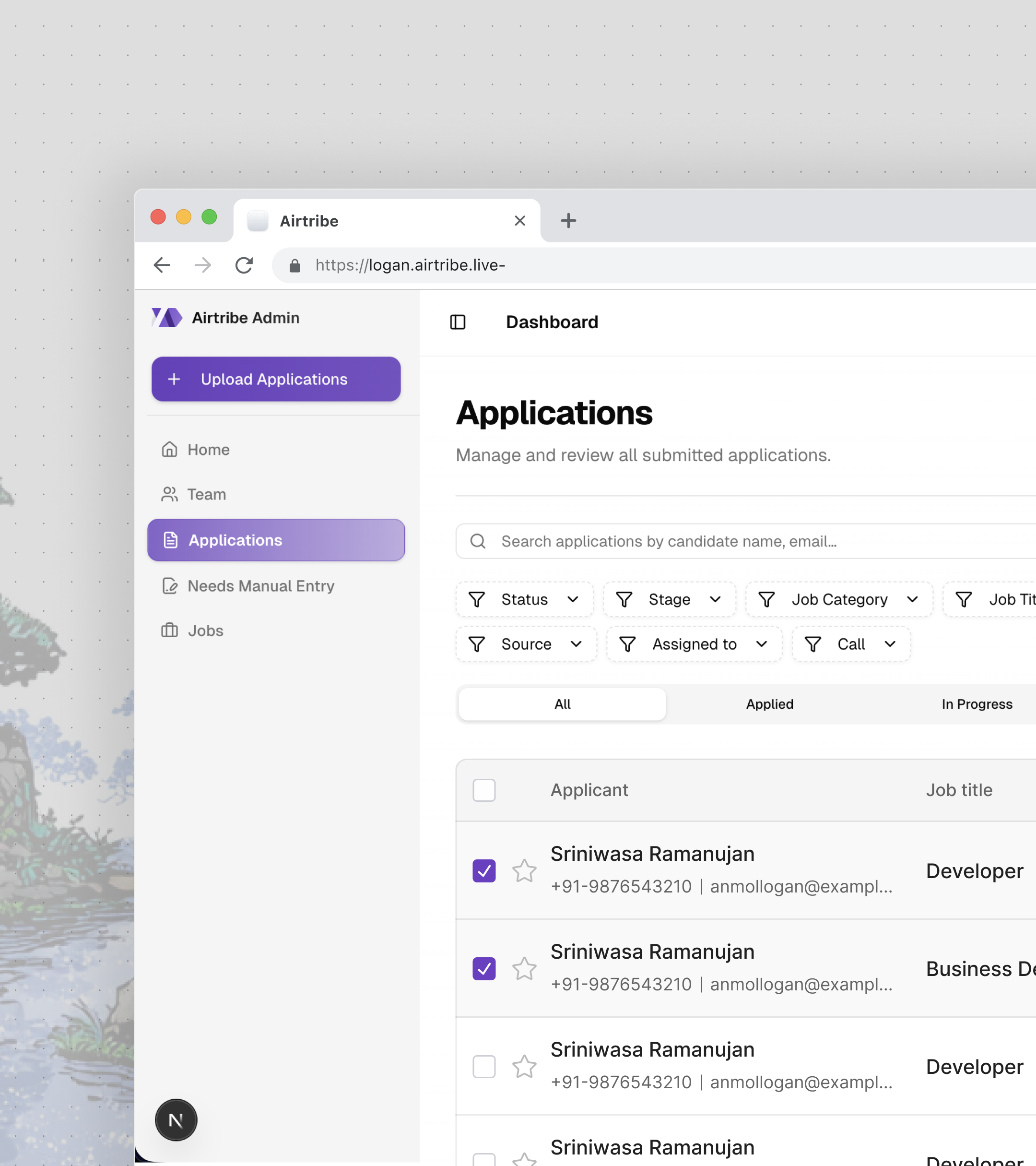
The Problem
Here is a universal truth about recruitment: the hiring pipeline is where good process goes to die.
At a growing ed-tech company, the HR team was managing candidates across spreadsheets, email threads, and a shared Google Drive folder ominously named "Resumes - DO NOT DELETE." Screening meant opening each resume, skimming for keywords, and copy-pasting details into yet another spreadsheet. Interview scheduling was a Slack DM chain between three people who were never available at the same time. There was no audit trail -- if someone asked "who moved this candidate to rejected and when?", the answer was a shrug.
The irony: the company was building a platform to help students learn, but its own internal tooling hadn't graduated from the spreadsheet era.
The Goal
Build a production HRMS from scratch that:
- Parses resumes automatically -- upload a batch of PDFs, get structured candidate profiles back without a human reading a single one
- Manages the full interview lifecycle -- schedule, reschedule, cancel, collect feedback, notify via Slack
- Filters and searches candidates at scale -- with a plugin architecture that doesn't require touching core code to add new filter types
- Enforces role-based access -- recruiters see their assigned candidates, admins see everything
- Tracks every change -- a full audit trail for compliance, not just "who deleted this?"
All of it built by one engineer, from database schema to deployment.
The Solution
The Resume Parsing Pipeline
This was the centerpiece. The problem seems simple -- extract name, email, skills, and experience from a resume. But resumes are the wild west of document formatting. Some are PDFs with proper text layers. Some are scanned images. Some are Word documents where the candidate used a table layout from 2008. One person submitted a .pages file.
The pipeline is asynchronous and queue-based:
Step 1: Upload and Enqueue. Resumes are uploaded via a batch file upload UI with real-time progress tracking. Each file lands in S3, and a BullMQ job is enqueued with the file reference.
Step 2: Extract Text. A Redis-backed worker picks up jobs and extracts raw text -- pdf-parse for PDFs, the docx library for Word files. This runs outside the request cycle so the API never blocks on file processing.
Step 3: Parse with GPT. Extracted text is sent to OpenAI's GPT API with a Zod-validated schema defining the expected structure: personal info, work experience, education, skills, certifications, and projects. Zod isn't just for TypeScript prettiness here -- it's the contract between "whatever GPT decides to return" and "what the database actually accepts."
Step 4: Store and Track. Parsed data lands in parsed_application_details with status tracking (PENDING, SUCCESS, FAILED). Every GPT call is logged in a gpt_log table -- prompt tokens, completion tokens, model used, cost. When you're making hundreds of API calls per batch upload, cost visibility isn't optional.
Step 5: Monitor. Bull Board provides a dashboard for queue health -- pending jobs, failed jobs, retry counts. Because "it's in the queue" stops being reassuring after the third time someone asks where their batch went.
The key insight: treat GPT output as untrusted user input. Zod validation catches malformed responses before they hit the database. Failed parses get retried with a modified prompt. If they fail again, they're flagged for manual review -- not silently swallowed.
Interview Scheduling and Slack Integration
Scheduling interviews sounds like a solved problem until you're building the state machine.
An interview has six possible states: scheduled, completed, rescheduled, cancelled, plus the transitions between them. Each transition triggers a different Slack notification to a different set of people in a job-specific channel.
The backend manages the full lifecycle:
- Schedule with multiple attendees, duration, mode (call or in-person)
- Reschedule with conflict detection and cancellation reason tracking
- Feedback collection with text responses and numerical ratings
- Slack notifications on every state change -- custom message templates per event type, routed to the correct job channel
The Slack integration uses job-specific channel routing. When a recruiter schedules an interview for a backend engineer role, the notification goes to #hiring-backend, not a generic #hr channel. Each notification template is different -- a scheduling message includes date, time, and interviewer names; a feedback request includes a deep link back into Logan.
On the frontend, this is a 500+ line dialog component (ScheduleInterviewDialog.tsx) with date/time pickers, interviewer selection, and mode toggles. Rescheduling is another 500+ lines -- it pre-fills the previous interview details, highlights what changed, and requires a reason.
The deep linking system deserves a mention. Clicking a Slack notification takes you directly to the relevant view:
/application/app-123?tab=interviews
/application/app-123?interview=456&giveFeedback=true
A URLNavigationHandler class parses these URLs with rule-based matching and executes the correct navigation -- opening the right tab, scrolling to the right interview, and auto-opening the feedback dialog if giveFeedback=true. It sounds over-engineered until you realize that without it, every Slack notification just dumps you on the application overview and you have to click three times to find what you were notified about.
The Plugin-Based Filtering System
Filtering candidates seems straightforward until the requirements keep growing. Filter by stage. Filter by status. Filter by assigned recruiter. Filter by date range. Filter by application type. Filter by call activity -- specifically "never called" vs "called but never connected." Filter by custom attributes that don't exist yet.
The naive approach is a growing if-else chain in the query builder. That stops scaling at about the fourth filter type.
Instead, the filtering system uses a factory pattern with a plugin architecture:
The Filter Service (filter/index.js) orchestrates everything -- it receives the request, passes active filters to the factory, and composes the final query.
The Filter Factory (filter/factory.js) maps filter types to their implementations. Adding a new filter means creating a plugin class and registering it in the factory. Zero changes to the service or query builder.
The Query Builder (filter/query-builder.js) takes the composed filter conditions and builds the Knex query. Each plugin returns a function that modifies the query builder -- some add where clauses, some add whereExists subqueries, some add joins.
The activity-based filters were the trickiest. "Never called" means whereNotExists on the call activity table. "Called but never connected" means whereExists on calls but whereNotExists on connected calls. These are SQL subqueries that can't be expressed as simple where conditions.
Date range filtering has a timezone-aware quirk: a single date filter doesn't mean "that calendar day." It means "10 AM on that day to 10 AM the next day" -- because the business operates on a shifted day boundary. This is the kind of requirement that sounds arbitrary until you realize 80% of candidate submissions come in after midnight and filtering by calendar day would split them across two days.
Role-Based Access Control
The RBAC system enforces two permission levels: application:edit:all (see everything) and application:edit:personal (see only your assigned candidates). This flows from the database through the API to the UI.
On the backend, Fastify plugins decorate each request with the user's role and permissions. Route-level permission mapping checks access before the handler runs. A recruiter hitting an admin-only endpoint gets a 403 before any business logic executes.
On the frontend, an AuthorizedAccess HOC wraps components that should only render for certain roles. The bulk assignment modal, the user management table, the permission settings -- all conditionally rendered based on the logged-in user's role.
The round-robin assignment algorithm balances workload across recruiters. When a new batch of applications comes in, they're distributed evenly -- not dumped on whoever happens to be online. The algorithm tracks current assignment counts and assigns to the recruiter with the fewest active candidates.
The Audit Trail
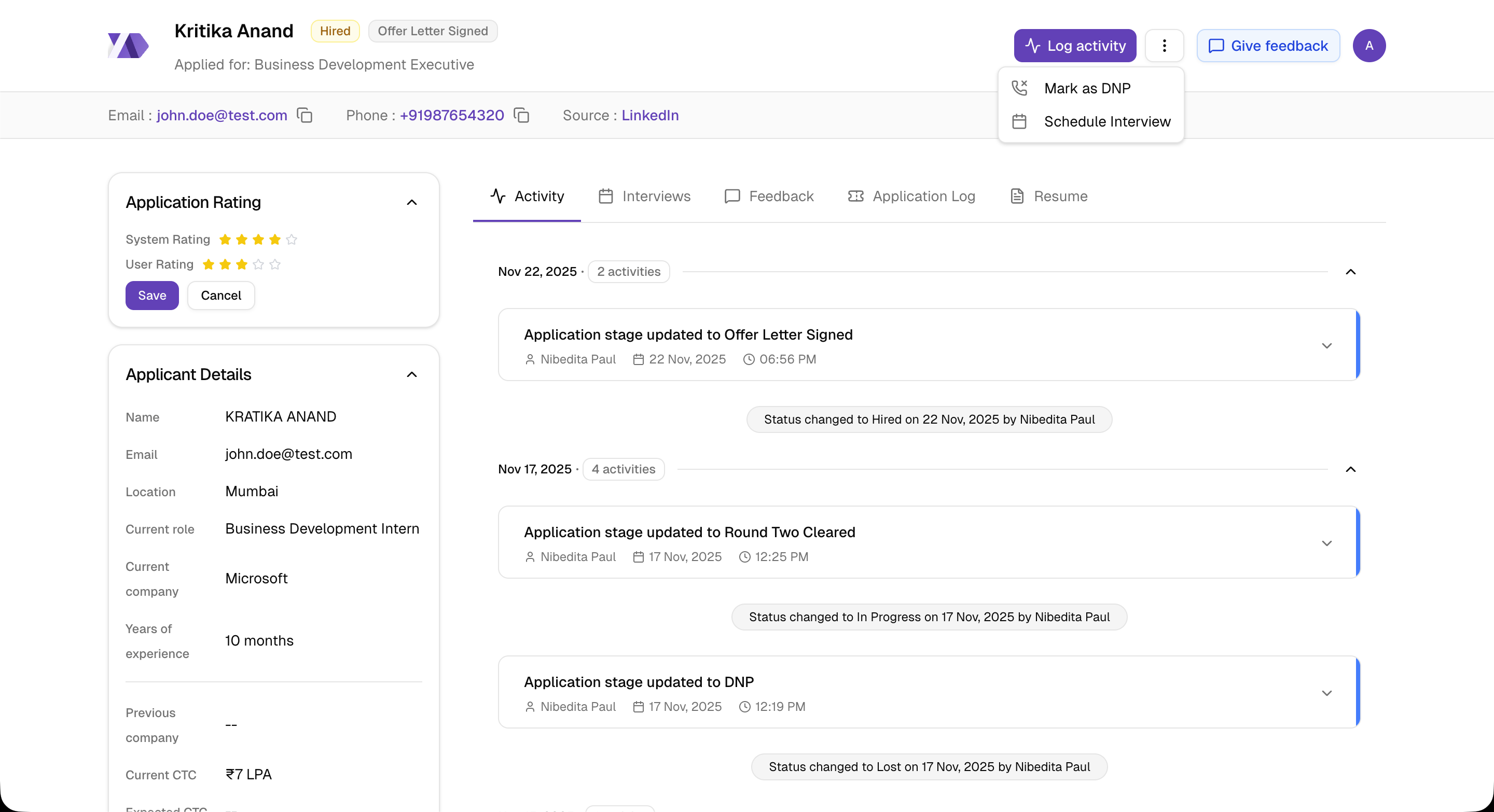
Every action in Logan is logged. Assignment changes, status updates, interview scheduling, feedback submission, DNP (did not pick up) marking -- all of it writes to user_activity with a linked application_edit_log that stores before/after values for every field change.
This isn't just a "nice to have." In HR, audit trails are a compliance requirement. When a candidate disputes a rejection, the company needs to show exactly who made the decision, when, and what information they had at the time.
The frontend renders this as a timeline (ActivityElement.tsx, 274+ lines) with nested grouping -- multiple field changes from a single edit session are grouped under one activity entry, not scattered as individual events.
Architecture
Complexities Faced
Structured output from an unstructured model. GPT returns whatever it wants. The same resume parsed twice can produce different JSON structures -- different key names, nested vs flat objects, arrays vs comma-separated strings. Zod validation catches this at the boundary, but the real challenge was writing prompts specific enough to get consistent output without being so rigid that edge-case resumes fail parsing entirely. The sweet spot was a detailed schema description with examples for ambiguous fields (like "current CTC" which could be annual, monthly, or "negotiable").
Deduplication across batches. When the same candidate applies twice -- or their resume is uploaded in two separate batches -- the system needs to detect the duplicate and link to the existing record, not create a new one. Deduplication runs on email, phone number, and LinkedIn URL, in that priority order. The tricky part: phone numbers come in every format imaginable (+91-9876543210, 09876543210, 987 654 3210), so matching requires normalization before comparison. And LinkedIn URLs might be linkedin.com/in/name or www.linkedin.com/in/name/ -- trailing slashes and www prefixes need stripping.
The date-range timezone shift. Single-date filters need to map to a 24-hour window that matches business hours, not midnight-to-midnight UTC. The shifted window (10 AM to next day 10 AM) means a filter query for "February 15" actually generates WHERE created_at >= '2025-02-15 10:00' AND created_at < '2025-02-16 10:00'. Getting this wrong means candidates disappear from filtered views depending on what time they applied. Getting this right meant fighting Date objects -- the second hardest problem in computer science.
Interview state transitions at scale. A simple state machine gets complex when every transition has side effects: Slack notifications to different people, activity log entries, permission checks (can this user cancel someone else's interview?), and cascading updates (rescheduling creates a new interview record and marks the old one as rescheduled, preserving history). The state machine is implicit in the model layer rather than a formal FSM library -- interview.js handles transitions with validation and side effects in the same method. This was a pragmatic choice: a formal state machine would add abstraction overhead for six states, but the tradeoff is that the valid transitions are documented in comments rather than enforced by types.
Migrating to Next.js 16 and React 19. This was a "no one tells you about this" complexity. Next.js 16 replaced middleware.ts with a proxy.ts pattern, breaking every API proxy route. React 19 changed how async components and server actions work. Node.js went from 18 to 24. The migration touched every API endpoint, required refactoring the proxy layer, and surfaced deprecated patterns that had been silently working for months. The commit was 49 files changed. Zero breaking changes in production, but it took a week of testing.
What I Learned
Treat AI output as untrusted input -- always. Zod validation on GPT responses isn't defensive programming, it's the only sane approach. LLMs are probabilistic, not deterministic. The same prompt produces different structures across calls. Validate at the boundary, retry on failure, flag for manual review on repeated failure. This principle applies to any system integrating LLM output into a structured pipeline.
Plugin architectures pay off earlier than you think. The filter system started with three filter types. It now has eight, plus a search system, plus activity-based filters that use subqueries. If the factory pattern had been added later as a refactor, it would have been a multi-day effort touching every query path. Building it right on the third filter saved weeks over the next five.
Async job queues change what's possible. Before BullMQ, resume parsing was synchronous -- upload a file, wait for GPT, get a response. The timeout was brutal for batch uploads. Moving to a queue meant the API returns immediately, the worker processes at its own pace, and the frontend polls for status. The UX went from "upload 50 resumes and wait 10 minutes" to "upload 50 resumes and watch them resolve one by one." The infrastructure cost was one Redis instance. The complexity cost was learning BullMQ's retry and dead-letter semantics. Worth it.
An audit trail is a feature, not overhead. Building activity logging from day one felt like over-engineering. Six months in, it became the most valuable feature for the HR team. "Who moved this candidate?" "When was this interview rescheduled?" "Why was this application marked DNP?" -- every question had an instant, authoritative answer. In any system where multiple people modify shared records, build the audit trail first, not as an afterthought.
166 commits. 45+ merged PRs. 20+ database tables. One engineer. Logan is a production HRMS built from schema design to deployment -- covering AI integration, async processing, external service integrations, and a complete React frontend with role-based access control.